 Bito
BitoOne weekly budget
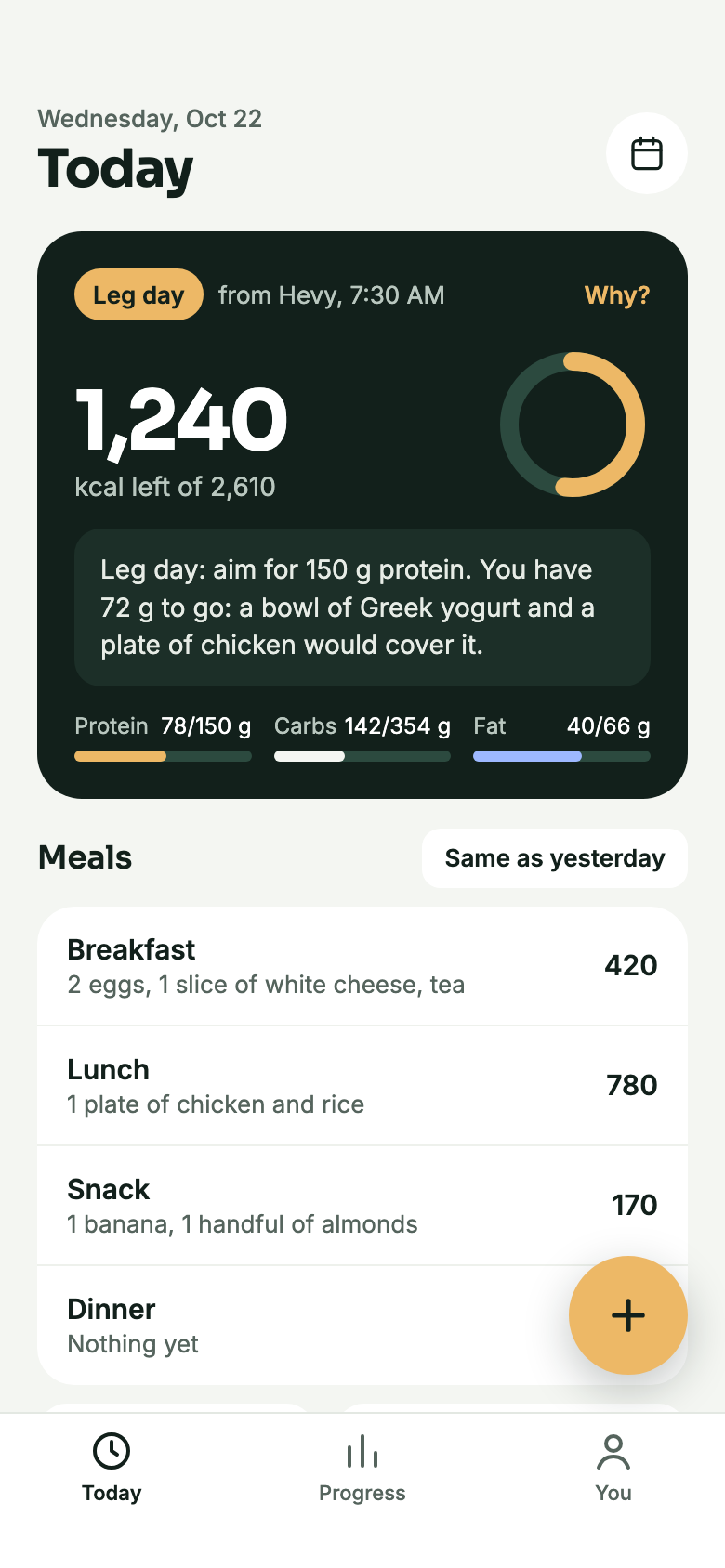
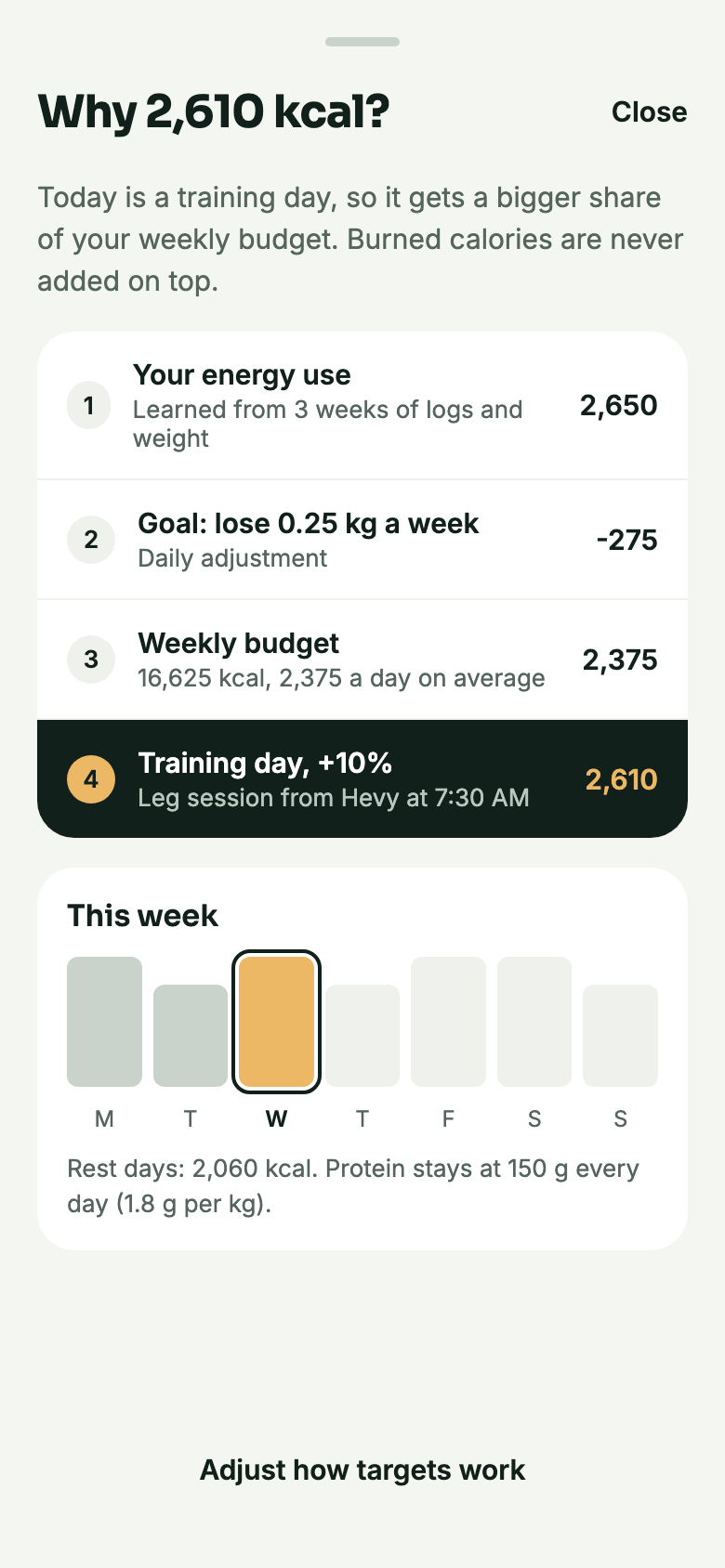
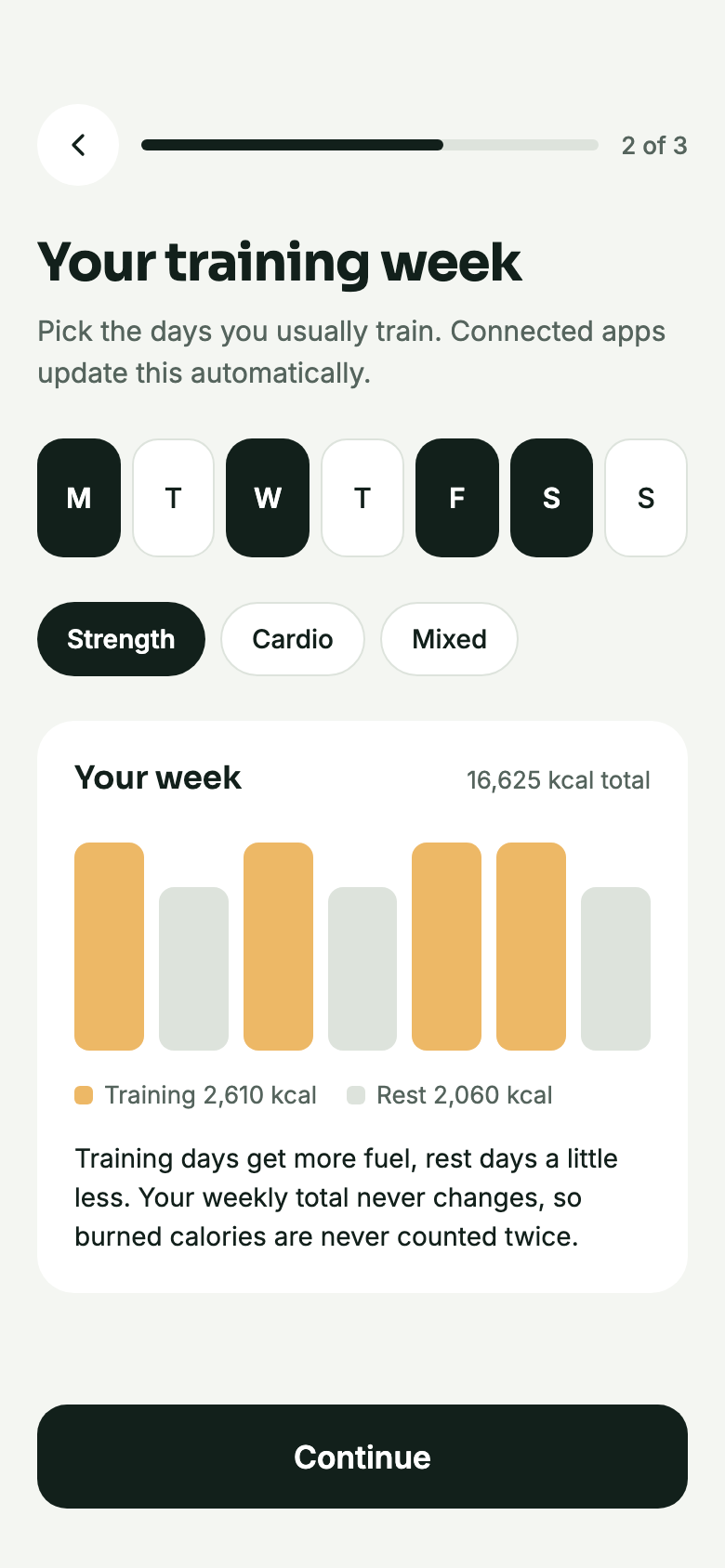
Bito sets one calorie budget for the whole week and gives training days a bigger share. Burned calories are never added on top, so nothing is counted twice.
Logging and tracking are free, forever. Bito Pro adds the extras.
Bito sets one calorie budget for the whole week and gives training days a bigger share. Burned calories are never added on top, so nothing is counted twice.
A workout from Apple Health or a connected app makes the day a training day. On a leg day Bito says something like aim for 150 g protein.
Protein is set from your trend weight and stays the same every day. Training days get their extra energy from carbs.
Tap Why? on any target to see your energy use, your goal, the day type and the rule that turned them into one number.
After two weeks of logs and weigh-ins, Bito compares what you ate with how your trend weight moved and adjusts your energy use once a week, by 150 kcal at most.
Three short steps: about you, your training week and your data. Metric or imperial, and you can change everything later.
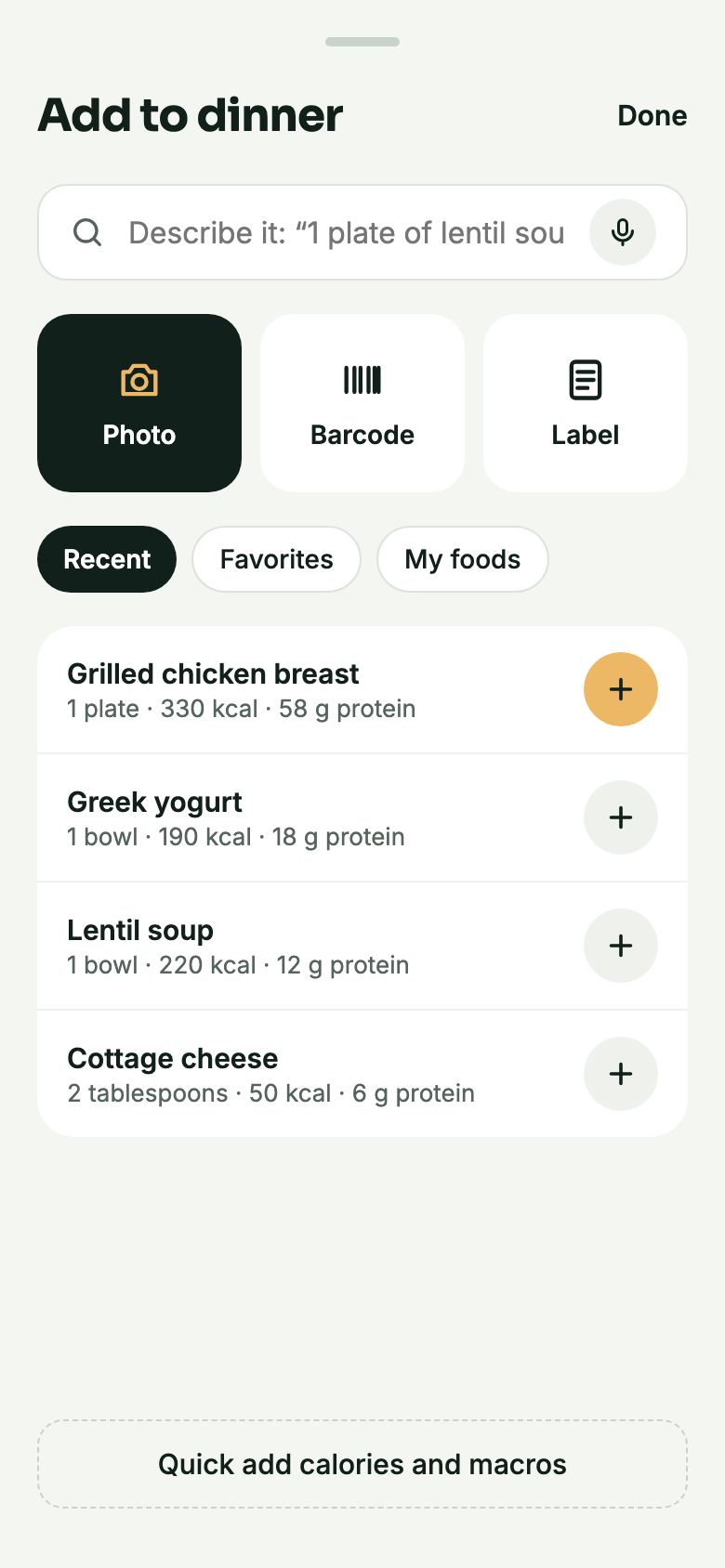
Repeat yesterday's meal, a recent food or a favorite in one tap. Copy meals, keep your own foods and quick add calories and macros.
Common foods ship inside the app, with portions in bowls, plates, spoons and pieces. Search works without a connection.
Point the camera at a package and Bito looks it up in Open Food Facts. Products you scanned before are remembered on your device.
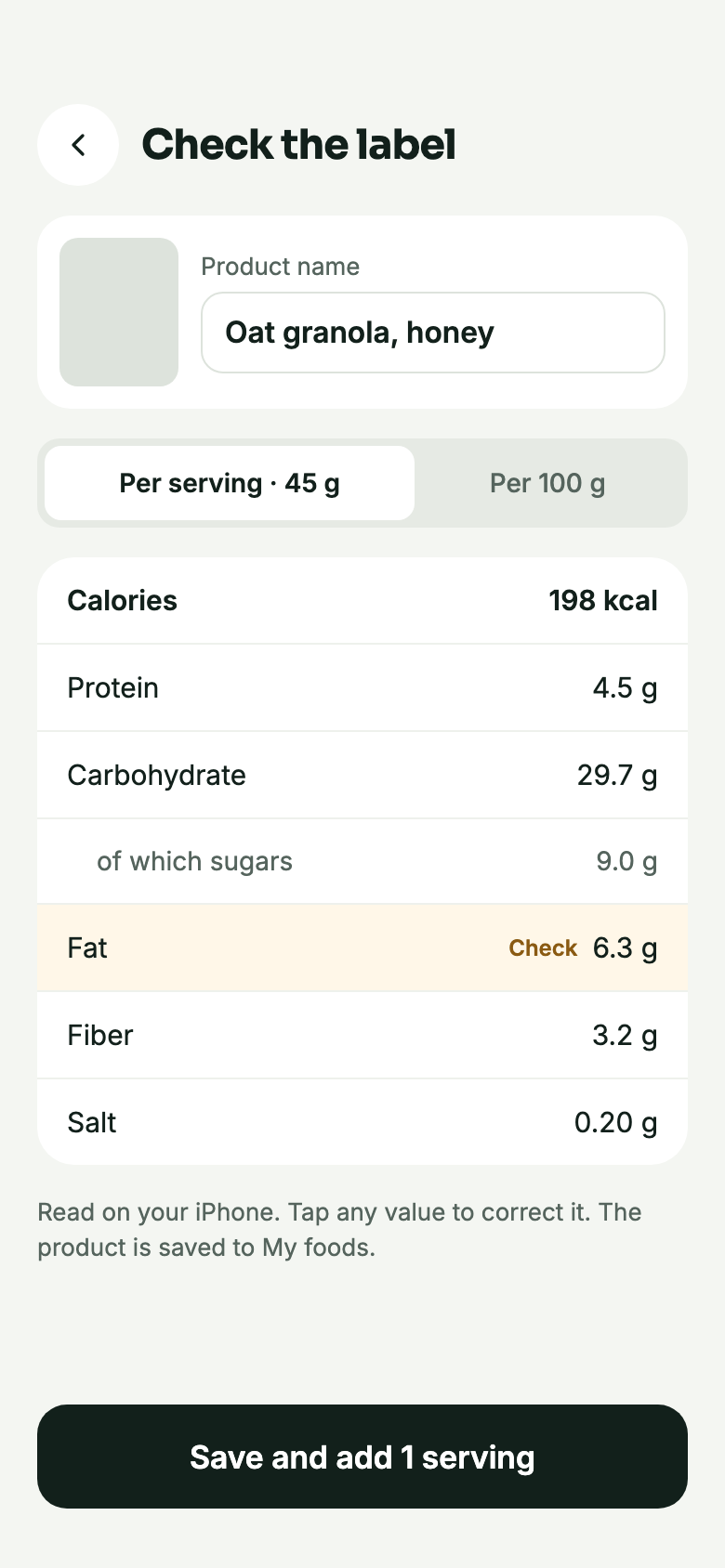
Photograph the label and Bito reads it on your iPhone, per serving or per 100 g, in EU and US layouts. Values it is unsure of are marked for you to check. Free for everyone.
Type or dictate “2 eggs, a slice of white cheese, tea” and Bito turns it into entries for you to confirm. It runs on your iPhone with Apple Intelligence.
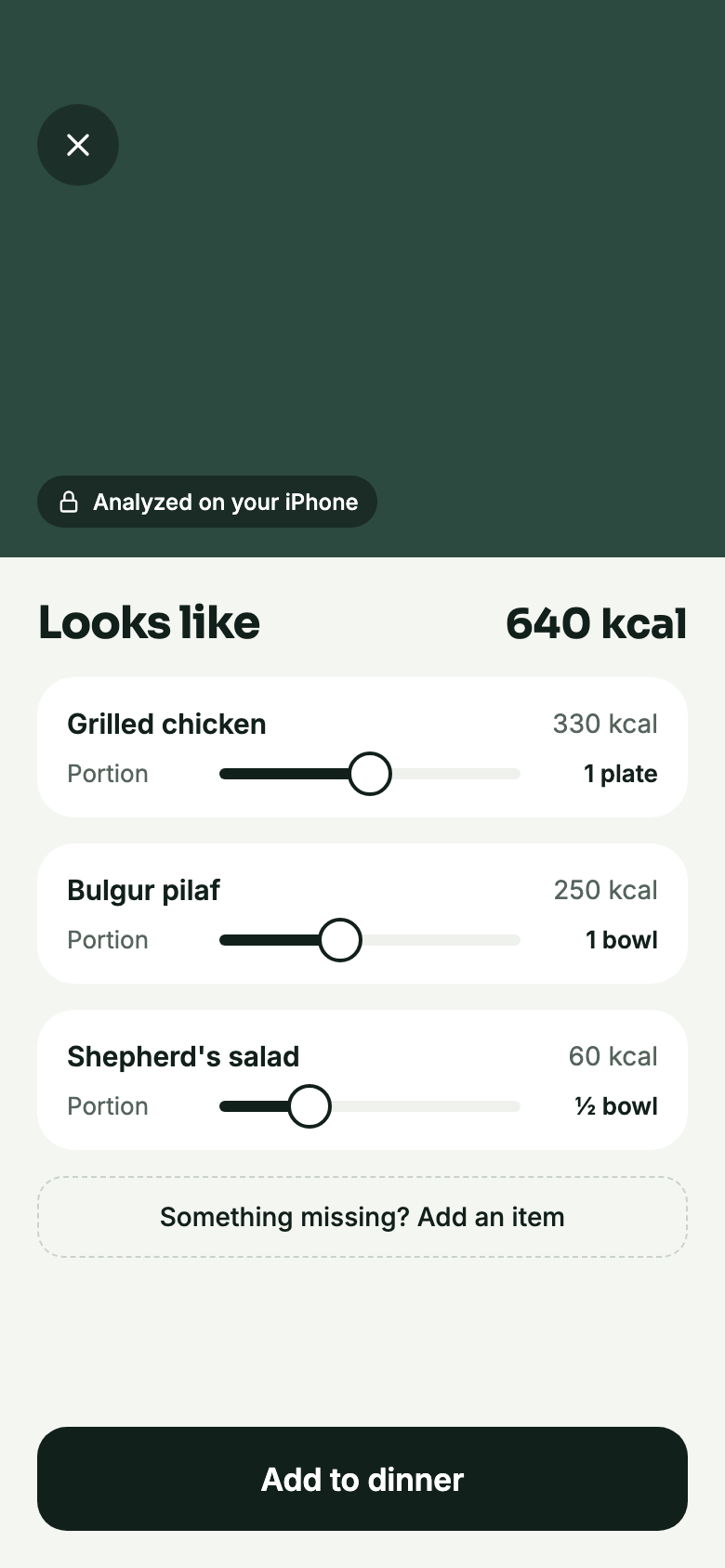
Take a photo and Bito names each food and estimates its portion, on your iPhone. Adjust any portion with a slider before you save.
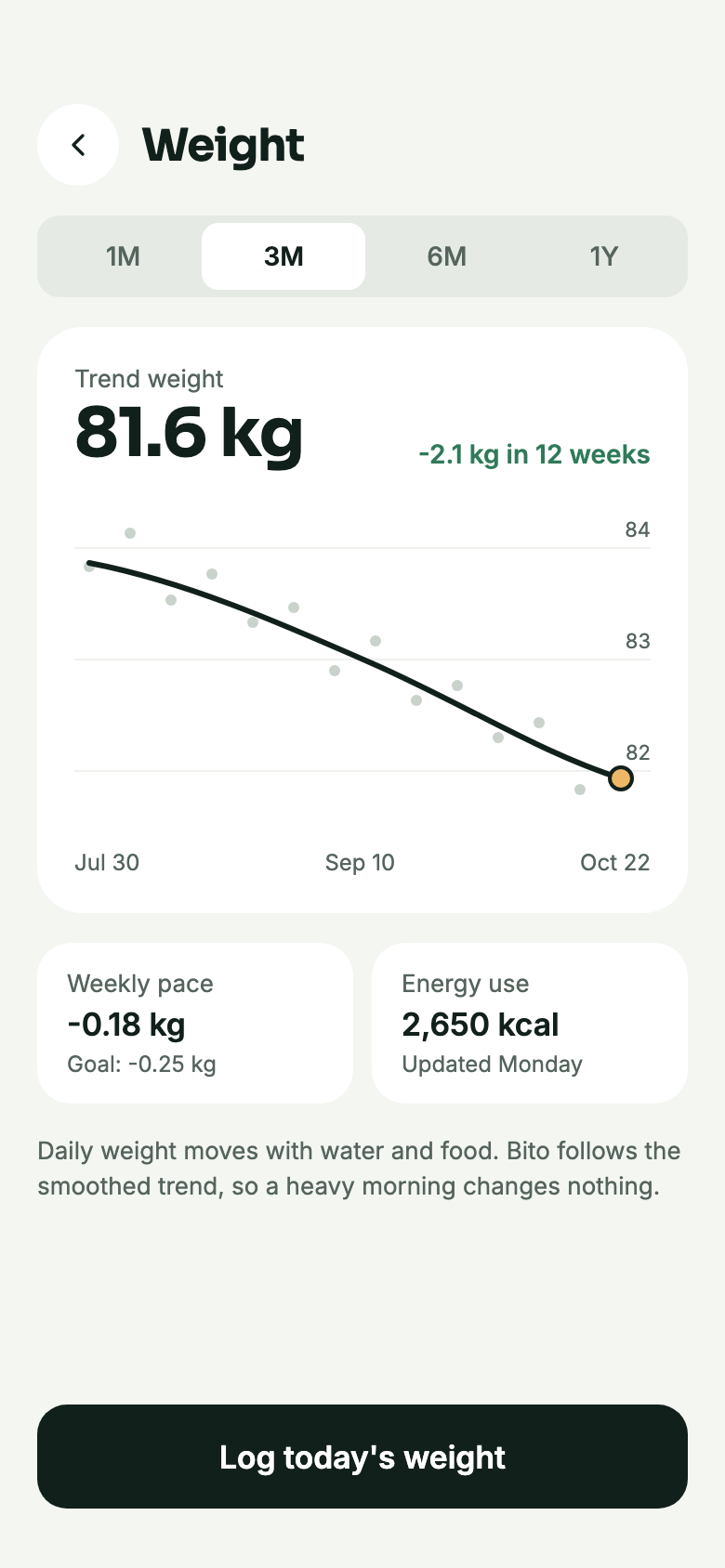
Daily weight moves with water and food. Bito follows a smoothed trend line, so one heavy morning changes nothing.
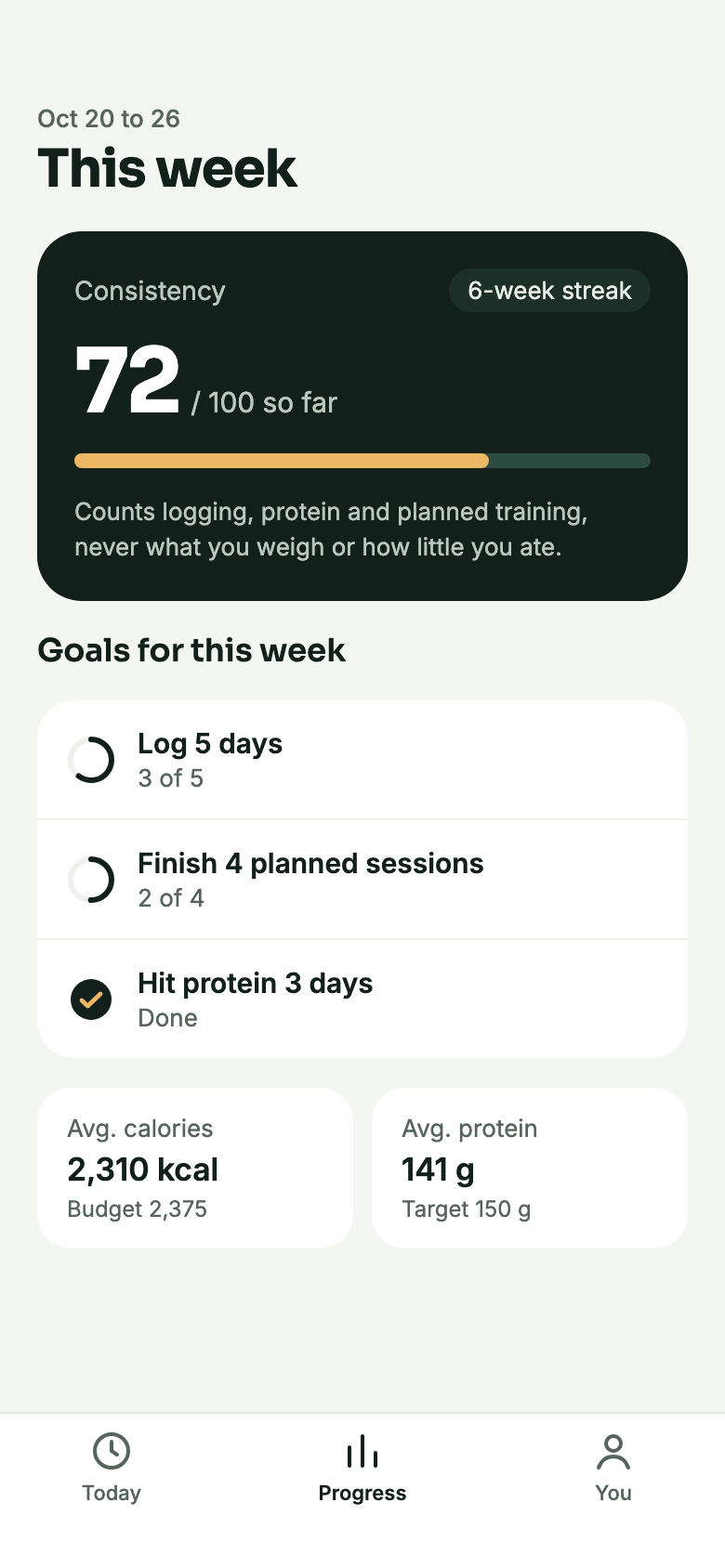
Logging, reaching your protein and finishing planned sessions earn points; what you weigh or how little you ate never does. A forgiving weekly streak and three goals a week, all optional.
No red numbers, no guilt, no levels to grind. Going over one day is just one day: it is never carried into the next.
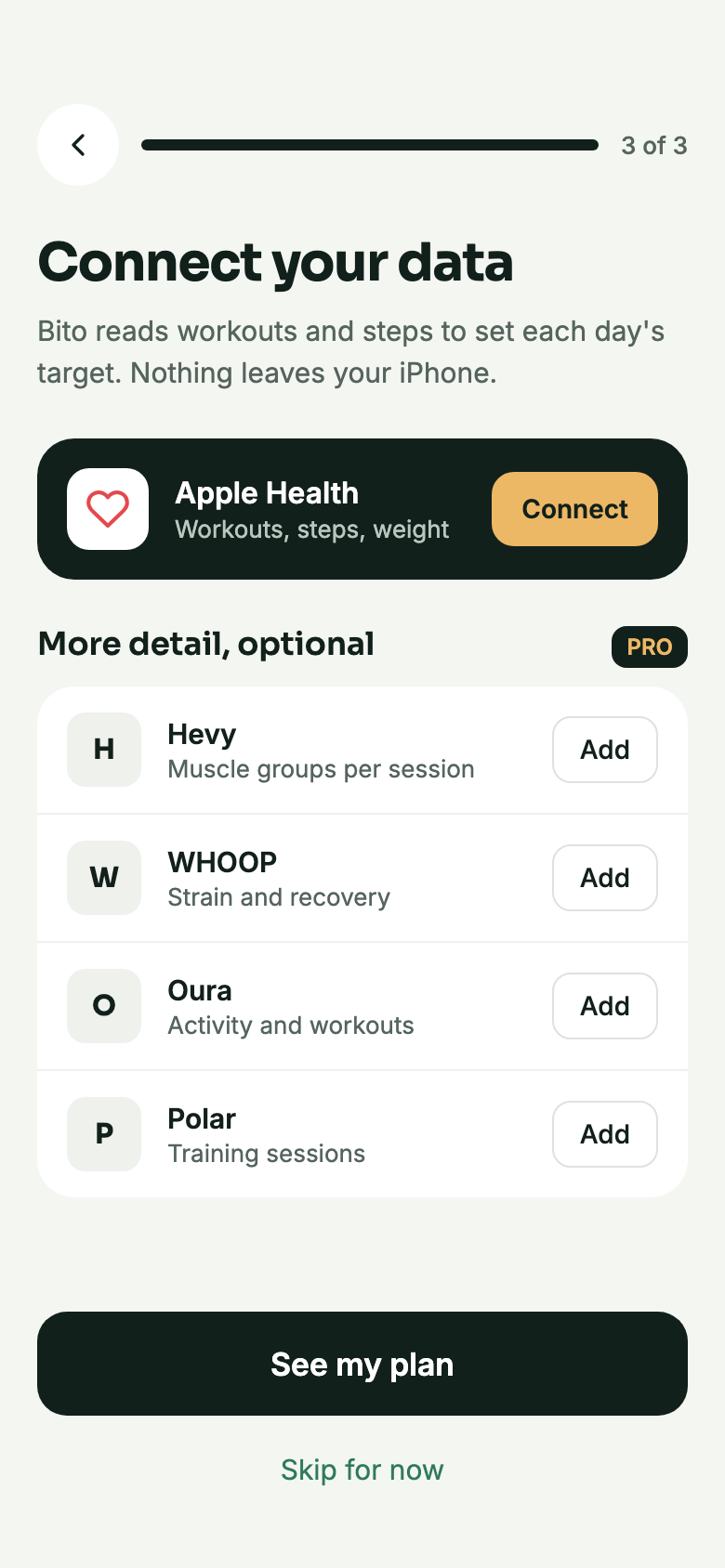
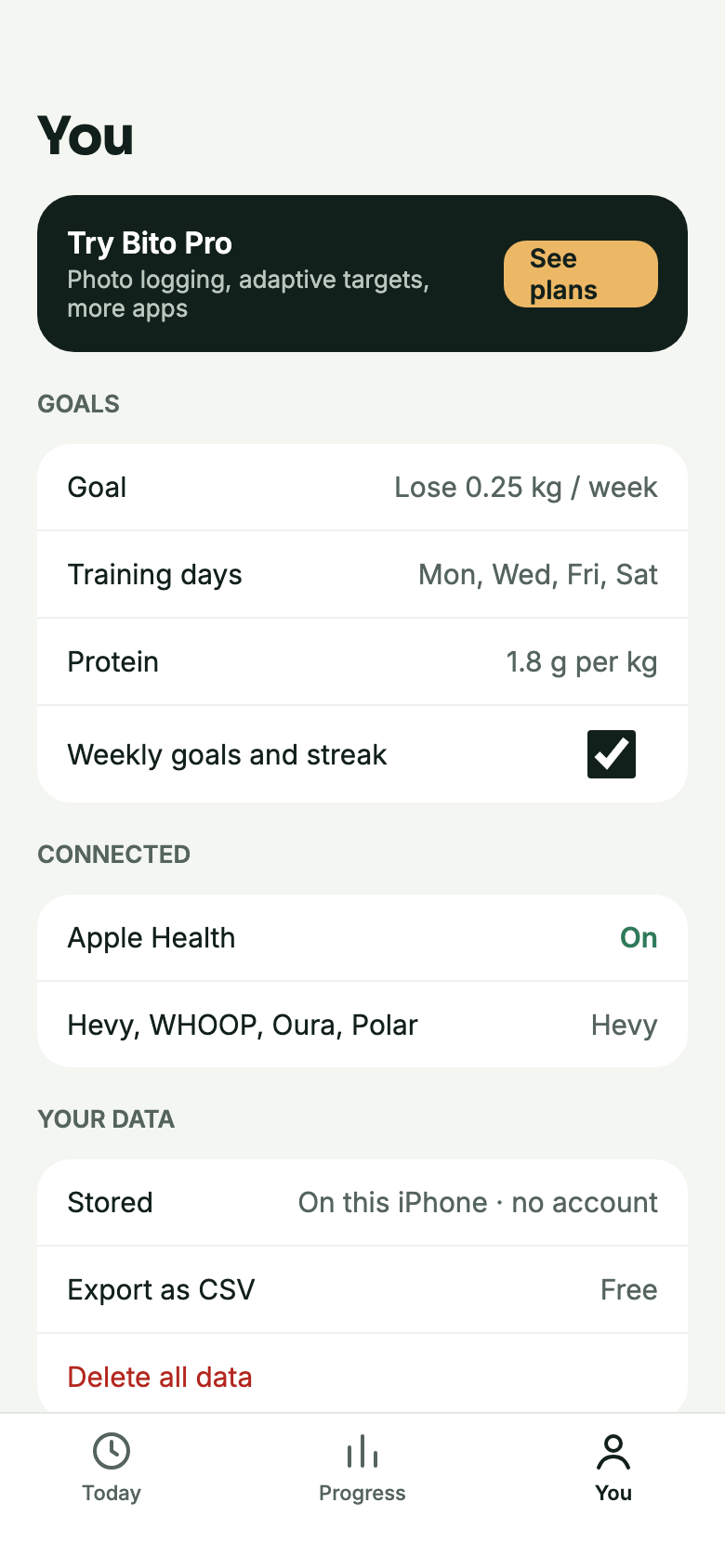
Bito reads workouts, steps and weight from Apple Health and writes your meals and weigh-ins back, so sessions from Hevy, Fitbod, Boostcamp or StrongLifts already count.
Connect them for more detail: the muscles you trained, strain and recovery, readiness and sessions. When the same workout comes from two places, Bito counts it once.
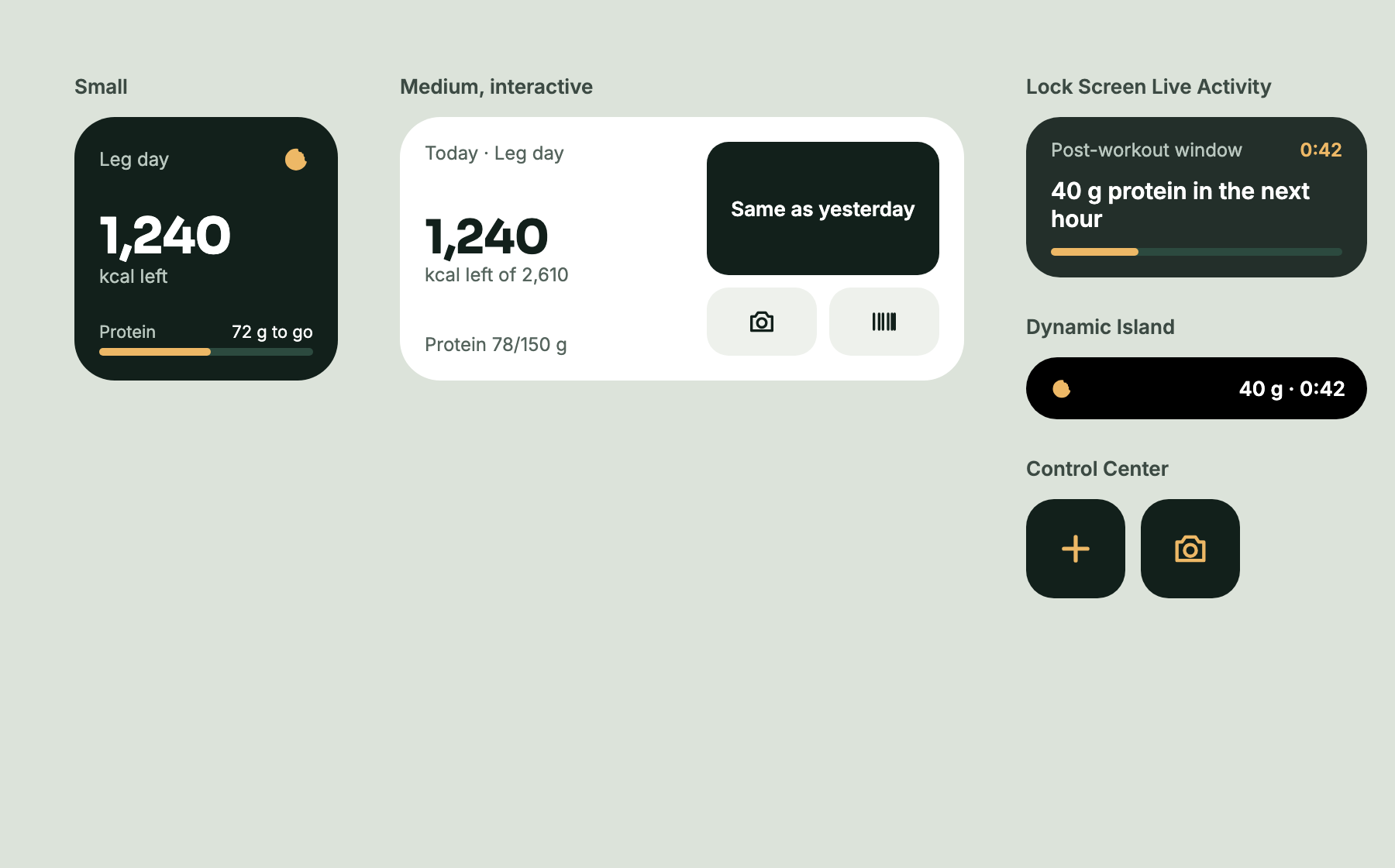
See calories left and protein on your Home Screen and Lock Screen. The interactive widget logs the same as yesterday, a photo or a barcode in one tap.
When a workout ends, your protein window counts down on the Lock Screen and in the Dynamic Island.
Log a meal or start a photo log from Control Center, or put it on the Action Button.
Say “Log food in Bito” or ask “How many calories do I have left in Bito”. Both are ready for your own Shortcuts too.
Today and Progress open into two columns on iPad, in every orientation.
There is nothing to sign up for. Your logs stay on your device, your health data stays in Apple Health, and food recognition runs on your iPhone.
Export every log as CSV, free. Delete all data in one step, including what Bito wrote to Apple Health.
The screens as they look in the app. Shown here in English; Bito speaks eight languages.
For iPhone and iPad, in English, Türkçe, Deutsch, Français, Español, Italiano, 日本語 and 한국어.